
How To Add Bots To Discord Server!
- Optimistic Lad
- Tech Tutorials
There are 3 main websites to add bots to your Discord Server.
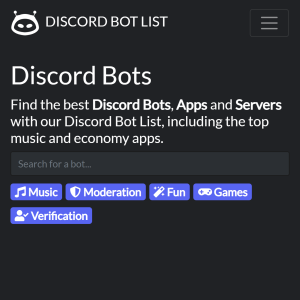
How To Add Bots To Discord Server is made simple with platforms like DiscordBotList.com. This comprehensive Discord bot directory serves as an excellent starting point for server owners looking to enhance their communities with powerful tools. The site features a clean, user-friendly interface where you can browse thousands of bots across categories like music, moderation, economy, fun, and utility. Each bot listing includes detailed descriptions, user reviews, server counts, and direct invite links, making the process of discovering and adding bots straightforward and efficient.
Whether you’re searching for advanced AI features, custom commands, or entertainment options, DiscordBotList.com helps you quickly identify high-quality bots voted on by the community. The platform also highlights trending and top-rated bots, saving you time during your search. Once you find a bot that fits your needs, simply click the invite button, select your server, and authorize the necessary permissions. This seamless experience makes DiscordBotList.com a go-to resource for beginners and experienced admins alike who want to level up their Discord servers without hassle.
1. Discord Bot List (https://discordbotlist.com/)
Navigating Discord.Bots.gg is intuitive, with options to filter by categories or popularity. Adding a bot is simple: browse the listings, review the details, and use the prominent invite button to grant permissions directly to your chosen Discord server. This straightforward approach reduces confusion for new users while offering depth for advanced server customization. Whether building a casual hangout or a professional community, Discord.Bots.gg remains a trusted hub that streamlines the entire bot discovery and integration process.
Another excellent website for those figuring out How To Add Bots To Discord Server is Discord.Bots.gg. Known as one of the original and most reliable Discord bot lists, this platform offers a vast collection of high-quality bots with detailed profiles and easy-to-use search functionality. It emphasizes quality listings, including bots for moderation, music, gaming, scheduling, and more. The site provides clear information on each bot’s features, supported libraries, prefix commands, and server statistics, helping you make informed decisions tailored to your community’s requirements.
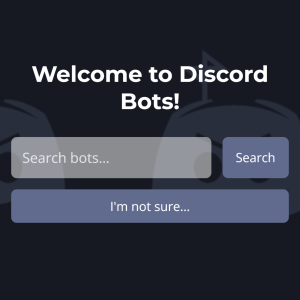
2. Discord Bots (https://discord.bots.gg/)
How To Add Bots To Discord Server reaches its full potential with a leading destination like Top.gg, widely regarded as the #1 Discord bot and app list. This massive directory features millions of bots and applications across every imaginable category, from moderation and music to anime, games, leveling systems, and AI tools. Top.gg stands out with its extensive search filters, user voting system, detailed bot pages, reviews, and real-time statistics that showcase popularity and reliability.
The platform makes adding bots effortless — locate your desired bot, click “Invite,” choose your server, and approve the required permissions in just a few clicks. Beyond basic functionality, Top.gg also includes comprehensive server listings, regular news updates, developer spotlights, and advertising options that help creators promote their bots effectively. This creates a vibrant, thriving ecosystem around Discord customization where both users and developers can connect and grow together. Its active moderation team works diligently to review submissions, remove low-quality or malicious entries, and ensure safer, higher-quality recommendations for the entire community.
For anyone serious about enhancing their server with the best tools available, Top.gg delivers an unmatched combination of variety, trust, and ease of use. Whether you need advanced moderation bots to maintain order, engaging music players for entertainment, fun mini-games to boost member interaction, or sophisticated AI-powered utilities, the platform’s robust search and ranking system helps you find exactly what your server needs. The site’s intuitive design, mobile-friendly interface, and helpful guides further simplify the entire process, making it accessible for complete beginners while still offering powerful features for experienced Discord administrators looking to optimize and expand their communities.
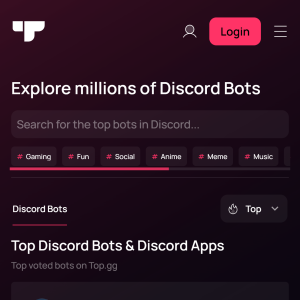
3. Top.gg (https://top.gg/)
